
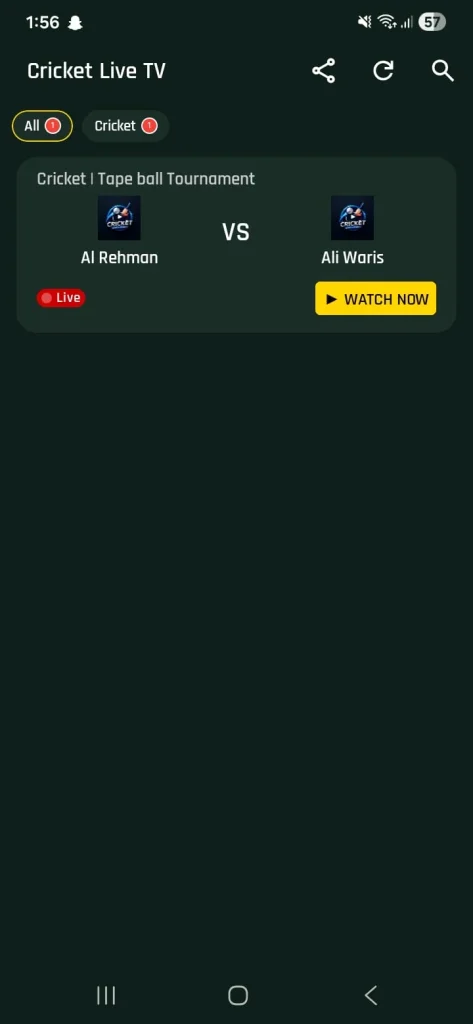

Missing the first over because of work, travel or a busy schedule can be frustrating for cricket fans. A Cricket Live TV APK can make it easier to follow matches on a smartphone, tablet or compatible smart TV, depending on the service and its supported devices. Instead of planning your entire day around a television, you can check the score, follow important moments or watch a live broadcast when you have a reliable internet connection.
However, not every app that promises live cricket offers the same experience. Some provide official video coverage, while others focus on live scores, commentary and match updates. Understanding these differences helps you choose a suitable option without wasting time on unreliable streams or applications that do not carry the match you want to watch.
Choosing an App That Actually Shows Your Match
The first thing to check is whether the service has broadcasting rights for the tournament you want to follow. International cricket, domestic competitions, franchise leagues and bilateral series may have different broadcasters. An application that streams one competition may not provide access to another, even if cricket is its main category.
Your location also matters. Streaming rights can vary between countries, so a platform available in India may not offer the same matches in the United States or the United Kingdom. Before installing an app or paying for a subscription, check its current tournament schedule and regional availability.
Official streaming services are generally the safest starting point. Depending on your country and the competition, these may include services such as JioHotstar in India, Willow in the United States or Sky’s streaming services in the United Kingdom. Availability, packages and supported competitions can change, so confirm the details directly with the provider.
Which Features Make Live Cricket Easier to Follow?
Watching a match involves more than pressing the play button. A useful application should help viewers stay connected to the game, understand what is happening and return to the action without unnecessary difficulty.
Live scores and ball-by-ball updates
Live scores are useful when watching a video is not possible. Ball-by-ball commentary can explain wickets, boundaries, bowling changes and other key events. This is particularly helpful during a commute or a short break when you have only a few minutes to check the match.
Look for scorecards that display runs, wickets, overs, batting statistics and bowling figures clearly. A good score interface should make the current situation easy to understand without requiring you to open several different screens.
Video quality and playback controls
A live cricket stream should offer quality options that match your internet speed and device. High-definition video can make it easier to follow field placements and see the ball, but it may consume more mobile data than standard-definition playback.
Playback controls are useful when you need to pause a supported stream, adjust the volume or switch to a different quality setting. Keep in mind that some live broadcasts restrict rewinding or pausing, especially during certain events.
Match alerts and highlights
Notifications can help you keep track of a close contest when you cannot watch continuously. Depending on the app, you may receive updates about the toss, innings breaks, wickets or the final result. Choose the alerts you need rather than enabling every notification, which can quickly become distracting.
Highlights are another useful feature. If you miss a session, short video clips or official match highlights can help you catch up on important moments without watching the entire recording.
How to Watch Cricket on Your Phone Without Problems
A few simple checks can prevent common streaming issues. First, install the application through an official app store or the broadcaster’s verified website. Review the developer name and permissions before installation, particularly if an unfamiliar service advertises free access to premium matches.
Next, check whether your device and operating system are supported. Update the app when necessary and close unused applications if playback becomes slow. If the stream keeps buffering, try a more stable Wi-Fi connection or reduce the video quality. Restarting the app may also help when a temporary playback problem occurs.
Mobile data deserves attention too. Live video can use a substantial amount of data over a full match, particularly at higher resolutions. If your mobile plan has a limited allowance, check the provider’s data estimates and consider using Wi-Fi for longer viewing sessions.
Is Cricket Live TV APK Worth Using?
Free access can be attractive, especially for casual viewers who follow only a few matches each month. However, free does not always mean that live video is included. Some legitimate apps offer free scores, commentary and selected highlights while keeping live broadcasts behind a subscription or other access requirements.
Before choosing a free cricket streaming app, check what it actually provides. Read the access terms, identify any advertisements and confirm whether the competition you follow is included. A service offering free coverage of selected events may be perfectly suitable if those are the matches you watch.
Be cautious of websites or applications promising every premium match without clear information about the operator or its rights. Unexpected downloads, excessive permissions, repeated redirects and requests for sensitive account details can signal security risks. Avoid entering payment information on unfamiliar pages or installing files from unverified sources.
A legitimate subscription may be a better choice if you regularly watch major tournaments and want consistent video quality. If you mainly need the latest score, an official scorecard or sports news application may be enough.
Common Problems and Practical Solutions
Even a reliable service can experience technical difficulties during a major match. Heavy audience demand, weak connectivity, outdated software or device limitations may affect playback. The solution depends on the problem rather than the app’s advertising claims.
- The video keeps buffering: Switch to a more stable network or lower the resolution.
- The match is unavailable: Check regional broadcasting rights and the tournament schedule.
- The app closes unexpectedly: Update it, restart your device and check whether your operating system is supported.
- The score differs from the video: A stream may have a broadcast delay, so live scores can update before the footage.
- The application requests unusual permissions: Review whether those permissions are necessary and avoid proceeding if the request appears suspicious.
One detail many viewers overlook is the delay between a live broadcast and the actual action. Internet streams often arrive later than the event itself. If you follow scores on another device while watching video, you might see a wicket notification before it appears on screen. This does not automatically mean the stream is broken.
Protect Your Account While Watching Online
Security should be part of your app selection, not an afterthought. Use a strong, unique password when an account is required and enable additional account protection if the service supports it. Avoid sharing verification codes or login details with anyone claiming to provide free access.
Check subscription renewal terms before starting a paid plan. Some services renew automatically, while cancellation rules and refund policies vary. Understanding these conditions in advance can prevent unexpected charges after a tournament ends.
It is also worth checking privacy settings. An app may request access to notifications, location or other device features, but these permissions should make sense for its purpose. You can usually deny permissions that are not needed for basic viewing. You can also download the Pelota Libre APK.
Finding the Right Cricket Viewing Option
The best Cricket Live APK depends on what you expect from it. Regular viewers may prefer an official streaming subscription with broad tournament coverage, while occasional fans might need only live scores and highlights. People watching on the move should pay particular attention to mobile data use, playback stability and notification controls.
Before making your choice, confirm three things: the app covers your preferred tournament, it is authorised to provide the content in your region and its cost fits your viewing habits. A little checking before match day can save you from searching for a working stream just as the first ball is about to be bowled.


